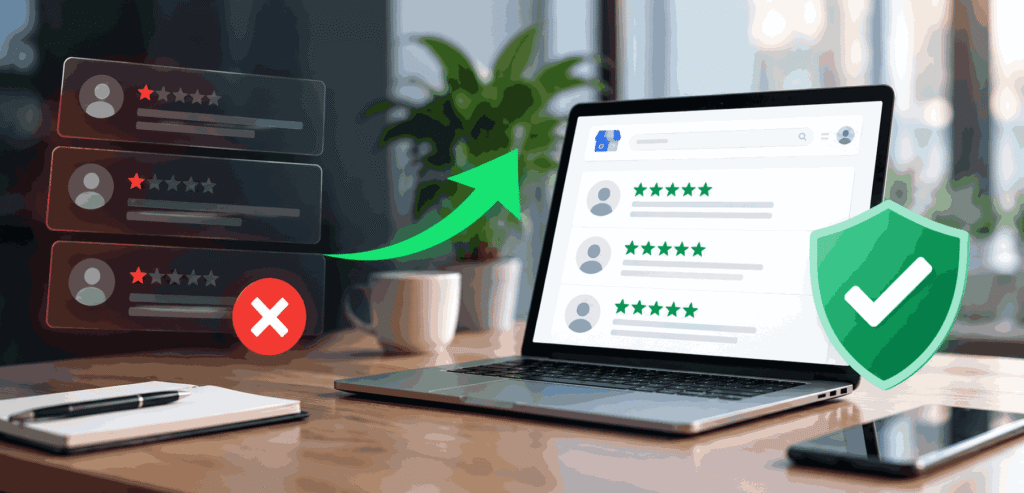
A negative Google review can affect your online reputation, customer trust, and potential sales. When people search for your business, your Google reviews are often one of the first things they see.
A fake, misleading, spam, or policy-violating review can therefore create a serious reputation problem.
The good news is that some negative Google reviews can be removed. However, Google does not remove reviews simply because a business owner dislikes them or disagrees with the reviewer’s opinion.
A review generally needs to violate Google’s content policies before Google will consider removing it.
We’ve helped Australian businesses remove hundreds of damaging Google reviews. Here’s what actually works.
Can You Remove a Negative Google Review?
Yes, but only under specific conditions. Google does not remove reviews simply because a business disagrees with them. Google removes reviews that violate its content policies.
Reviews eligible for removal include:
- Fake reviews posted by competitors or people who never used your service
- Spam reviews submitted from bot accounts or duplicate profiles
- Reviews containing hate speech, threats, or discriminatory language
- Reviews that reveal personal or confidential information
- Reviews posted by a current or former employee about the business
- Off-topic reviews with no relation to an actual customer experience
- Defamatory reviews that make provably false factual claims
If a review falls into one of these categories, you have a strong case for removal. If the review is a genuine customer complaint, even a harsh one, Google won’t remove it on request alone.
Method 1: Flag the Review Directly on Google
Flagging is the fastest DIY option. It works best when the review clearly breaks Google’s policies. Here’s how to do it:
1. Open Google Maps and search for your business.
2. Find the negative review you want to remove.
3. Click the three-dot menu (⋮) next to the review.
4. Select “Report review”.
5. Choose the policy violation that best fits — for example, ‘Off topic’, ‘Spam’, or ‘Conflict of interest’.
6. Submit the report.
Google reviews your report and decides whether to remove the review. This process typically takes between 3 and 7 business days. In many cases, Google dismisses the report — especially if the violation is not obvious.
Flagging works well for clear-cut spam and fake reviews. It is less effective for reviews that appear genuine on the surface but contain fabricated claims.
Method 2: Use the Google Business Profile Dashboard
If you manage your Google Business Profile, you can report reviews directly through your dashboard.
7. Log in to your Google Business Profile at business.google.com.
8. Go to “Reviews” in the left-hand menu.
9. Find the review and click the flag icon.
10. Select the appropriate policy violation.
11. Submit the report.
The process works the same way as flagging through Maps. The advantage here is that you can monitor all your reviews in one place and track which reports are under review.
Method 3: Contact Google Support Directly
If Google rejects your flag, you can escalate. Google’s support team can manually review your case when the automated system misses a clear violation.
To reach Google support:
- Visit the Google Business Profile Help Centre.
- Click ‘Contact Us’ and select ‘Reviews & Photos’.
- Choose ‘Report a review’ and describe your issue.
- Provide specific evidence — screenshots, dates, account activity — wherever possible.
Be clear and factual in your description. State which Google policy the review violates and why. Vague complaints rarely succeed. Specific, documented violations get results.
Method 4: Respond to the Review Publicly
You cannot always get a review removed. But you can control the narrative.
A well-written response to a negative review does three things. It shows potential customers that you’re professional. It demonstrates that you take feedback seriously. And it signals to Google that your business is actively managed.
Use this structure for a strong response:
- Acknowledge the customer’s experience without admitting fault for unverified claims.
- Apologise where appropriate — even a general apology for a poor experience goes a long way.
- Offer a direct path to resolution: a phone number, email address, or invitation to contact you privately.
- Keep the tone calm, professional, and brief.
Never argue, retaliate, or post personal information in a public response. These actions damage your reputation further and can attract more negative attention.
Method 5: Work With a Professional Review Removal Service
Some negative reviews are difficult to remove through standard flagging. They may look genuine on the surface, use coded language, or come from accounts with established posting histories.
Professional review removal specialists know how to build a strong case using platform policies, dispute channels, and legal frameworks where applicable.
At ReviewFix, we work on a no-win-no-fee basis. You pay nothing unless we successfully remove the review. We handle the entire process — from identifying the policy violation to submitting the dispute and following up with Google.
Our process is fully confidential. We do not disclose client information at any stage.
What Google Will Not Remove
Understanding what Google won’t remove saves you time. Google keeps reviews that:
- Express a genuine negative opinion, even a harsh one
- Describe a real experience, even if the business disputes the facts
- Include star ratings without text
- Mention a complaint that is already resolved
If a review falls into this category, your best options are: respond publicly, generate more positive reviews to dilute the impact, or seek legal advice if the review contains provably false statements of fact.
How Long Does Google Review Removal Take?
Timelines vary depending on the removal method you use.
| Method | Typical Timeline |
| Flagging on Google Maps / Business Profile | 3–7 business days |
| Google Support escalation | 7–14 business days |
| Professional removal service | 2–14 business days |
| Legal action (for defamatory content) | 4–12 weeks |
How to Prevent Negative Reviews in the Future
Removing a bad review solves today’s problem. Preventing new ones protects your reputation long-term.
These practices reduce your exposure to negative reviews:
- Ask satisfied customers to leave a review immediately after a positive interaction. The best time to request a review is right after a job is completed or a purchase is made.
- Resolve complaints privately before they reach a review platform. Give customers a direct way to contact you if something goes wrong.
- Respond promptly to all reviews, positive and negative. Businesses that engage with reviews signal trustworthiness.
- Monitor your Google Business Profile weekly. Early detection of new negative reviews gives you time to act.
- Train your team on customer communication. Many negative reviews stem from miscommunication, not poor service.
When Should You Consider Legal Action?
Some online reviews may involve legal issues, particularly when they contain potentially defamatory statements presented as facts.
A negative opinion and a false factual allegation are not necessarily the same thing. For example, saying that a business provided a “terrible experience” is generally an expression of opinion. A specific factual allegation that can potentially be proven false may raise different legal considerations.
You may want to obtain legal advice if a review makes serious factual allegations that you believe are demonstrably false, publishes private or confidential information, targets identifiable individuals with serious accusations, or causes significant reputational or financial harm.
Legal action can be more complicated and expensive than reporting a review through Google. Businesses should therefore consider the circumstances carefully and seek advice from a qualified legal professional where appropriate.
Frequently Asked Questions
Q. Can a business owner delete their own Google reviews?
No. Business owners cannot delete reviews posted on their Google Business Profile. Only Google can remove a review, and only after you report it as a policy violation.
Q. What if Google rejects my removal request?
You can escalate to Google’s support team with additional evidence. Alternatively, a professional removal service can build a stronger case using platform-specific dispute channels.
Q. Can I pay Google to remove a bad review?
No. Google does not accept payment for review removal. Any service claiming to pay Google for removal is fraudulent.
Q. Does responding to a bad review help remove it?
Responding does not trigger removal. But it improves how potential customers perceive your business and demonstrates that you address issues professionally.
Q. How many reviews can I report at one time?
You can report multiple reviews simultaneously. Each report is assessed independently by Google. There is no limit on the number of reports you can submit.
Get Professional Help With Google Review Removal
Dealing with a negative Google review can be frustrating, especially when the review appears fake, misleading, irrelevant, or otherwise violates Google’s policies. Reporting the review yourself is always an option, but some cases require a more detailed assessment and a structured approach.
ReviewFix provides a professional Google Review Removal Service for businesses that need help challenging problematic Google reviews.
Our team assesses the review, identifies potential policy violations, prepares the removal request, manages the dispute process, and follows up where appropriate. We focus on legitimate review removal cases and work within Google’s review policies and available dispute channels.
Best of all, our service operates on a no-win-no-fee basis. You only pay if we successfully remove the review.
If you have a negative Google review that you believe violates Google’s policies, let ReviewFix assess your case today.